We strongly recommend using CCT-01 without using any software. It is simpler and more convenient.
For people who wants to get more out of their CCT-01 Cable Tester tool, we have developed this software tool loaded with features to support you with your cable testing.
Additional features through CCT-01 Software:
- Save to a file your Learned connection.
- Load saved connection file to test new cable.
- Label individual connection of your own cable.
Connection file serve as your cable documentation. - Generate PDF file report.
- Pinpoint connection issue instantly with the interactive display.
- Connection map at a glance.
- Access to the console mode of the CCT-01 cable connection tester device.
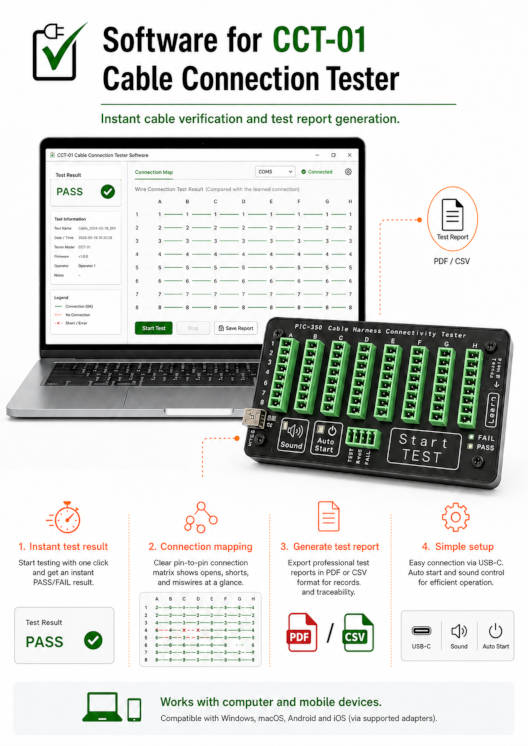
(New features Jun 2026) Use this software to assist you to pin-point the connection problem visually.
- Free software.
- No installation needed.
- Auto software update.
- Operate directly from your web-browser.
Only available on selected browser, eg. Chrome Browser and Microsoft Edge on Desktop.
Web-browser on Desktop or Laptop
- Chrome Browser
- Microsoft Edge
- Other newer web-browser that supports Web Serial API.
Web-browser on Andriod
- Latest Chrome Browser on Android OS version 11 or above.

Try out this software app demonstration.
* No need to install software.
* No need CCT-01 tester hardware
Other methods to generate report
For other non web-browser method, you can use other offline terminal software solution.
- Generate from mobile phone (on-the-go)
- Generate from laptop/desktop (offline terminal tools)
Custom Software Development
We also often to customised software for CCT-01 to improve your production workflow and organisation branding.
Introduction
CCT-01 Software Tool (new feature update Jun 2026)
- Locate visually the missing or wrong connections (highlighted in red).
- Simple test report, highlighting any connection problem.
- Interactive result display, pin point the problem instantly.
- Generates and export PDF test report for documentation/printing.
- Allows you to load unlimited master cable documentation for your production testing.
- No need to install or constantly update software onto your computer system.
- Software runs directly from your browser.
- Works on any operating system. (Win11, Linux, MacOS)
- Best of all, this software is Free to use.
Virtual View
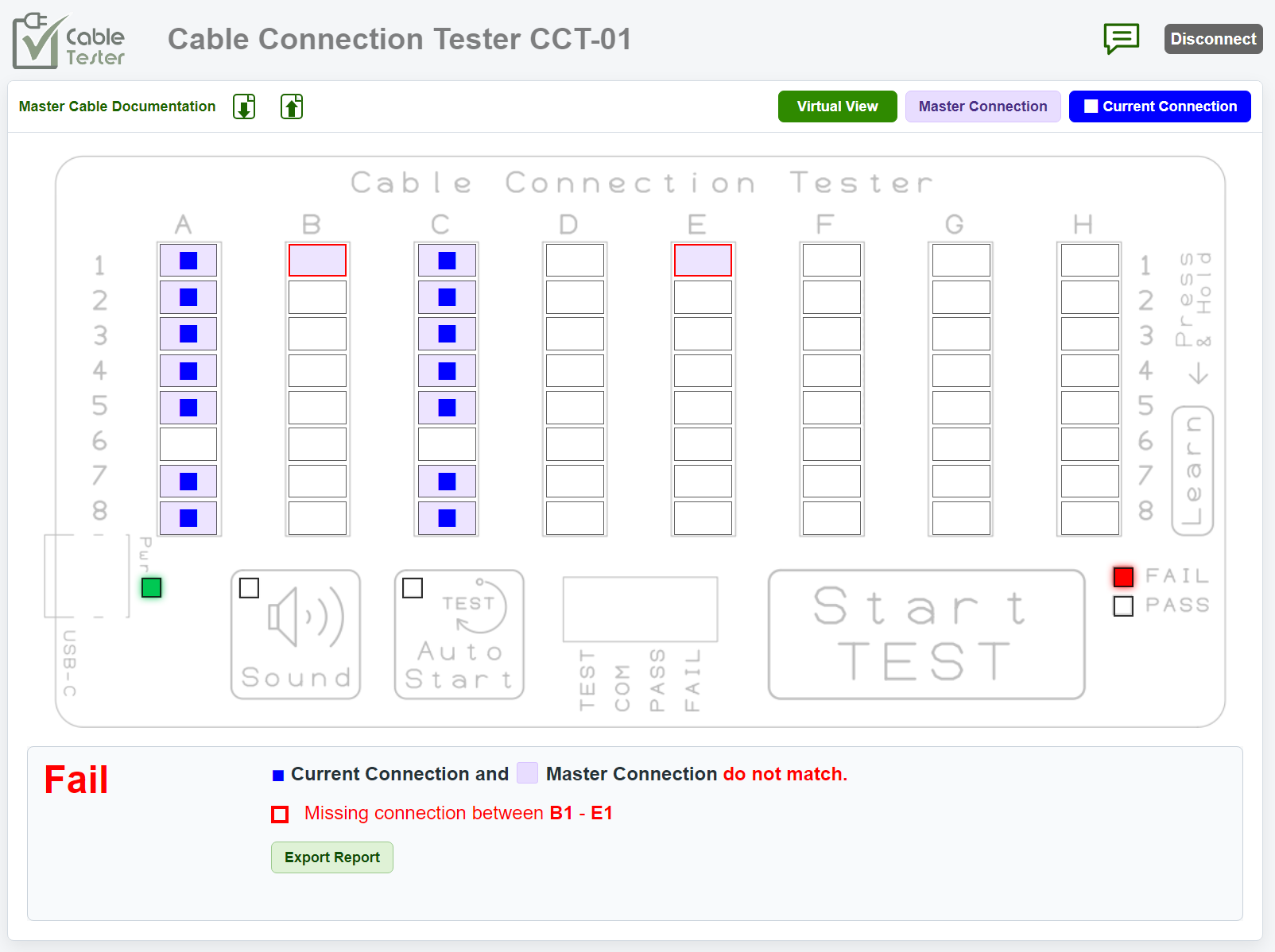
In virtual view mode, you get to interact with the connected CCT-01 Cable Tester hardware directly from your web-browser (from selective browser product). No other special software is needed to be installed.
This virtual model looks like the physical tester, interactive with the tester, and is able to provide much more dynamic information about the cable test result. You can visual spot where the problematic wiring is located.
You can also add in your master cable documentation. The software can test the production cable according to your master cable documentation. To test another cable model, you can simply load in the new documentation, the software will test if it passes base on what it see on your master cable documentation.
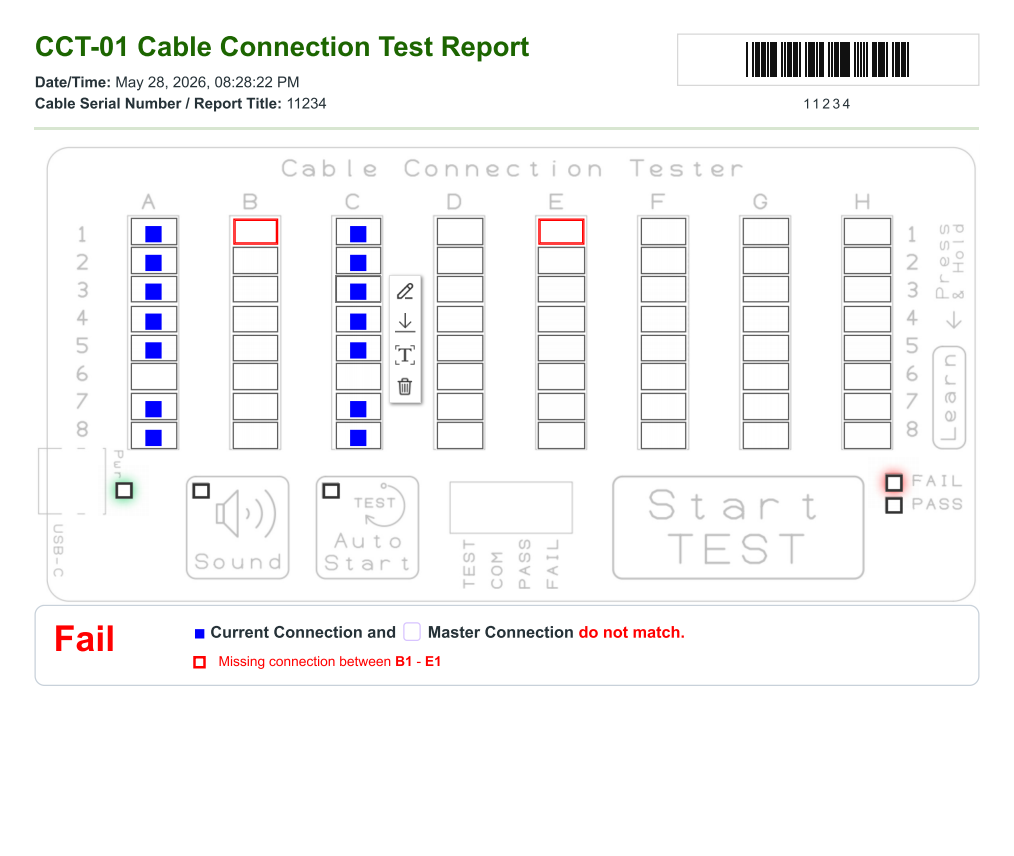
A PASS or FAIL report will be generated, and tell you exactly which connection is missing, and which are connected wrongly. You can also export the report (in pdf format) and document your serial numbered cable with the report.
Export Test Report
A sample example of the test report. You can barcode scan in the cable serial number. The report also contains barcode which your other system can easily scan and track the production.
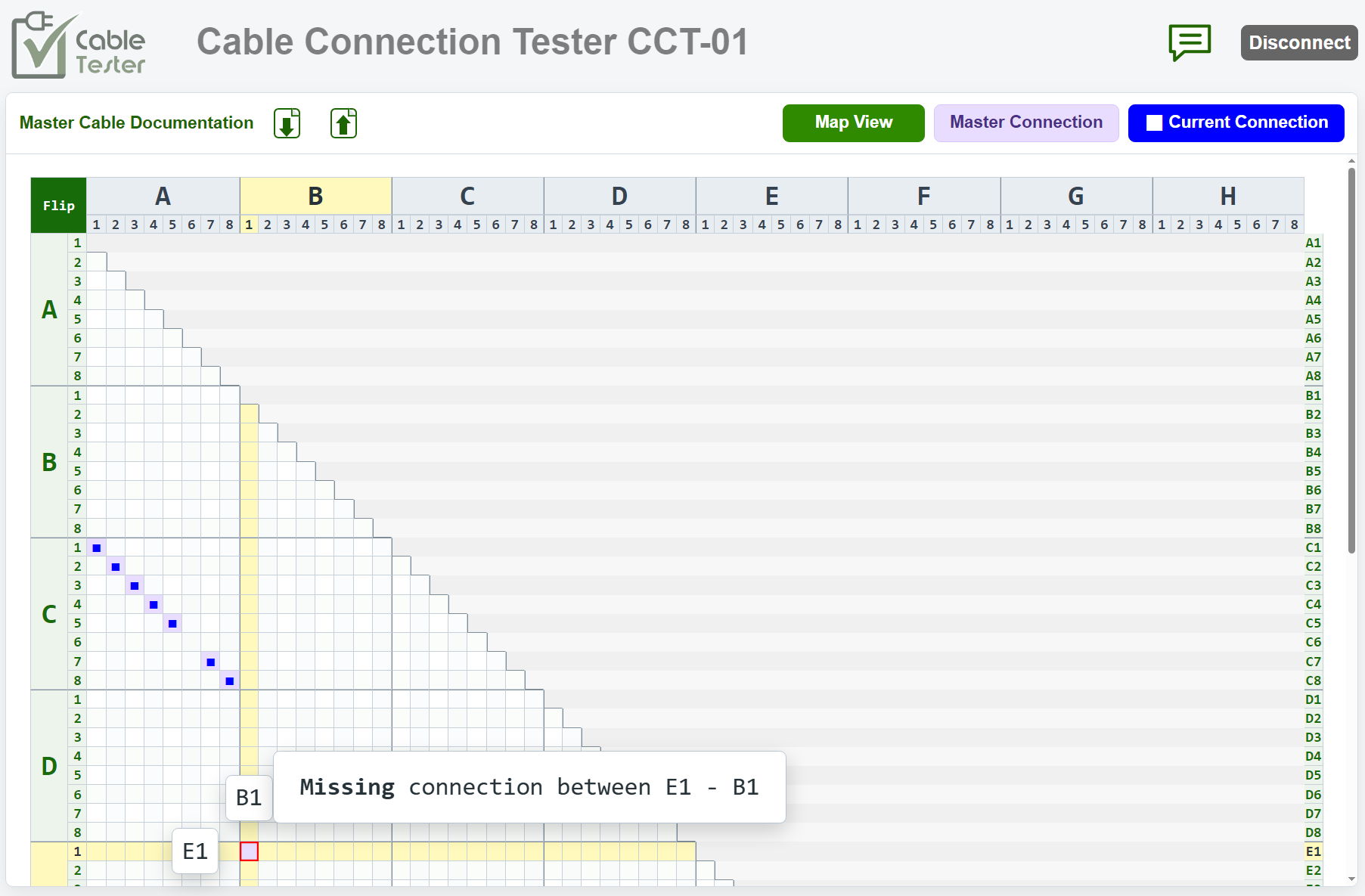
Map View
Map view provides an entire view of the whole wiring connection. It is another perspective of looking at the cable wiring connection. You can move your mouse cursor to examine the details of the particular point of connection.
Click here for the user guide.
Tips: Save the software page to keep a copy of the software version.
Any feedback, improvement or features that you want, can send in a request to us.
Conventional Approach
The following content uses 3rd party software tools to allow user interaction with the CCT-01 cable tester hardware. These may still serve well for users who may want to explore other tools to work with due to restriction from their workplace or computer system.
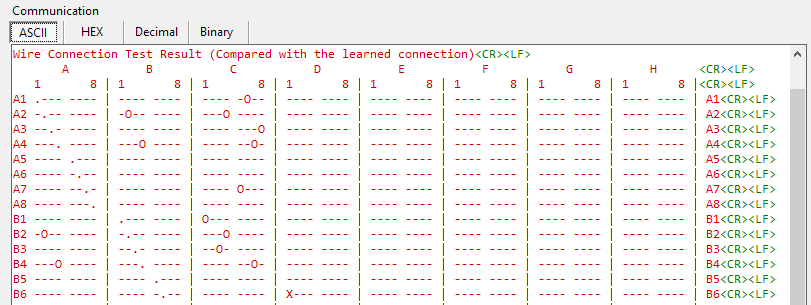
Cable test report can be generated directly from the Cable Tester.
Any wrong and missing wiring can be traced at a glance through this connection matrix table.
You can also easily map out the entire connection of an undocumented or unknown cable.
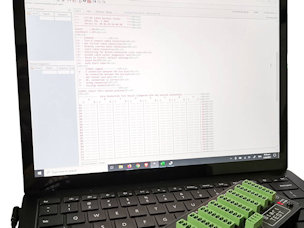
Click here to check the instruction guide for setting up the software to display the test report.
Keep Test Report for future use
Cut and paste the test result to our Google sheet. File your test report as your documentation record and for your future test reference.
Documentation of cable test report using our Google sheet template.