Rent Cable Tester

You need a cable tester once in a while. You do not want to invest too much money in an expensive high-end cable tester. Consider buying a simple and affordable cable tester or perhaps rent one from an engineering company near your place. Rental hire is a cost-saving way for the company especially when your company is not always using the equipment.

Here are some of the high cable testers model and their rental rates that are available for rent online.

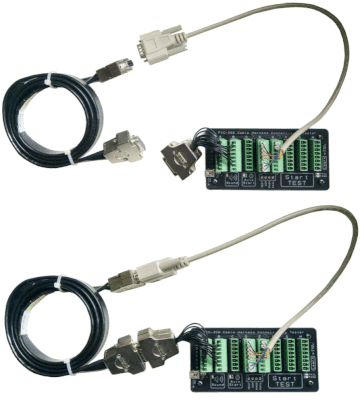
Check out our best seller general purpose Cable Tester tool.

Cisco Console Cable (USB to RJ45 Serial RS232)

A Cisco Console Cable is a type of cable that is used to connect the console port of Cisco equipment to a computer. The console port is a serial port that provides access to the command-line interface (CLI) of the device for administrative purposes. It is typically used for configuring, managing, and troubleshooting Cisco routers, switches, and other network devices.

RJ45 Console Cable History

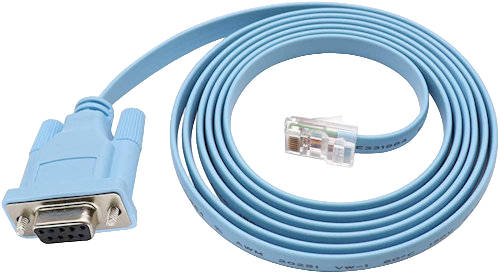
The console cable started off with this old RS232 to RJ45 cable. Often seen as a light blue color cable.

The cable is typically an RS232 cable with a 9-pin serial connector (d-sub09) on one end and an RJ45 connector on the other end. The RJ-45 connector is used to connect to the console port on the Cisco device, while the RS232 connector is used to connect to a computer.

RS232 serial connector was commonly used a decade or more ago. RS232 port is obsolete mostly from modern computers these days. It is replaced by the USB version which is much more popular.

USB to RJ45 Console Cable

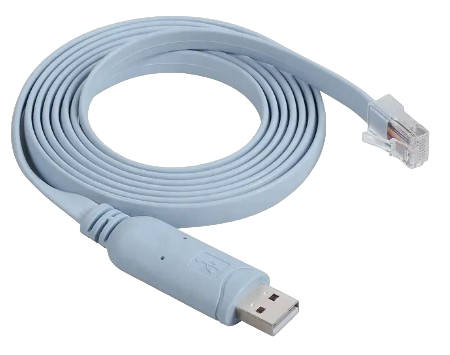
A more popular Cisco Console Cable will be the USB to RJ45 console cable. USB (type A) is a more popular interface on a modern computers.

Simple plug-and-play. It is essentially a USB to RS232 converter electronics built into the cable.

Modern USB (type-A) to RJ45 console cable.

USB-C to RJ45 Console Cable

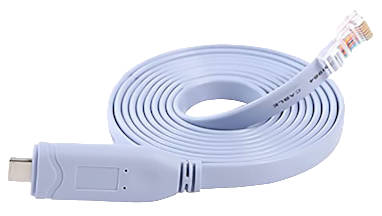
A newer type of cable will be the USB-C to RJ45 console cable. It is base on a newer USB 3.0 standard. USB-C (type C) standard is getting more popular with small mobile devices. USB-C connector is much smaller in size compared to the USB (type A).

This cable is very useful for connecting the console via your portable mobile phone. Most phones, tablets, and laptops now come with only USB-C ports.

Latest new USB-C to RJ45 console cable.

Terminal Software for Console Cable

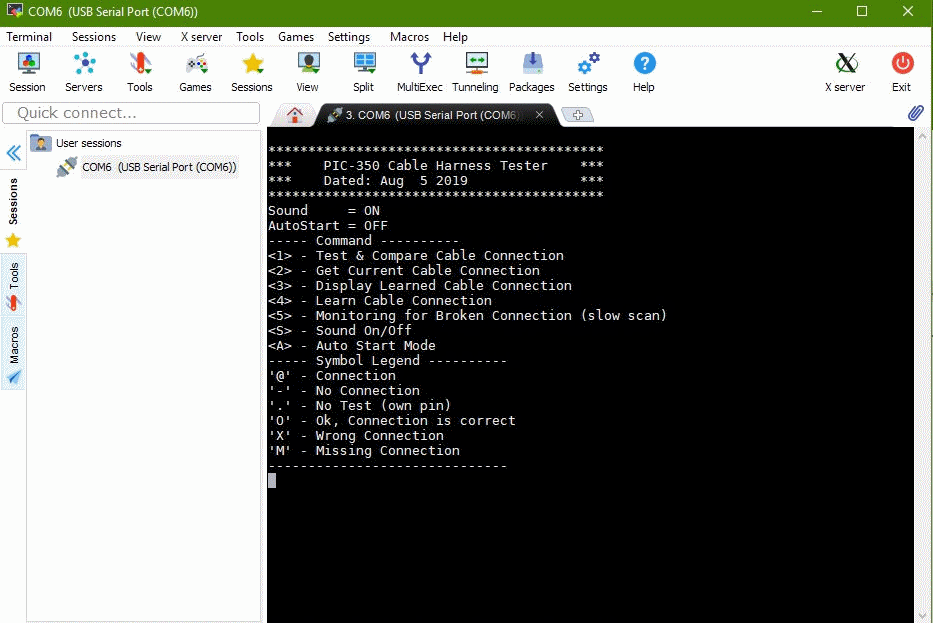
The Cisco Console Cable is an important tool for network administrators, as it allows them to configure and troubleshoot Cisco network devices. The cable is commonly used in combination with terminal emulation software, such as PuTTY, that provides a terminal window for communicating with the device through the console port.

Serial Communication Settings

Typical communication baud rate setup for a serial console cable.

  • Baudrate: 9600bps
  • Data bit: 8 bits
  • Stop bit: 1 bit
  • Parity: None
  • No Hardware Handshaking

There are many other terminal emulation software. The following are some of the most popular free terminal software.

Terminal Software for PC (Personal Computer)

Serial Terminal using MobaXterm serial terminal software for PC

Terminal Software for Andriod Mobile Phone

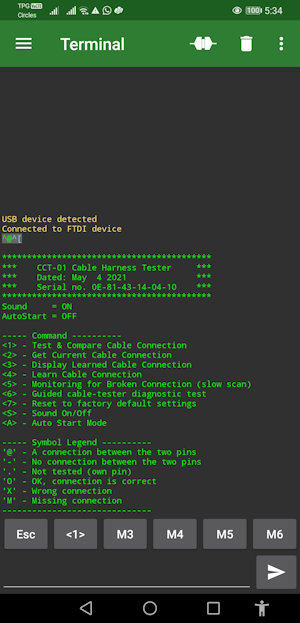
You can use USB-C to RJ45 console cable to connect the Cisco equipment/devices to connect to your mobile phone.

For more illustration of using this console terminal, check out this guide for the Serial USB Terminal app.

Mobile phone and console cables are portable and more convenient to bring along to the site for troubleshooting or configuration.

Serial Terminal using an Andriod Phone

Check out here for our universal Cable Tester project.

USB Type A Pin Out

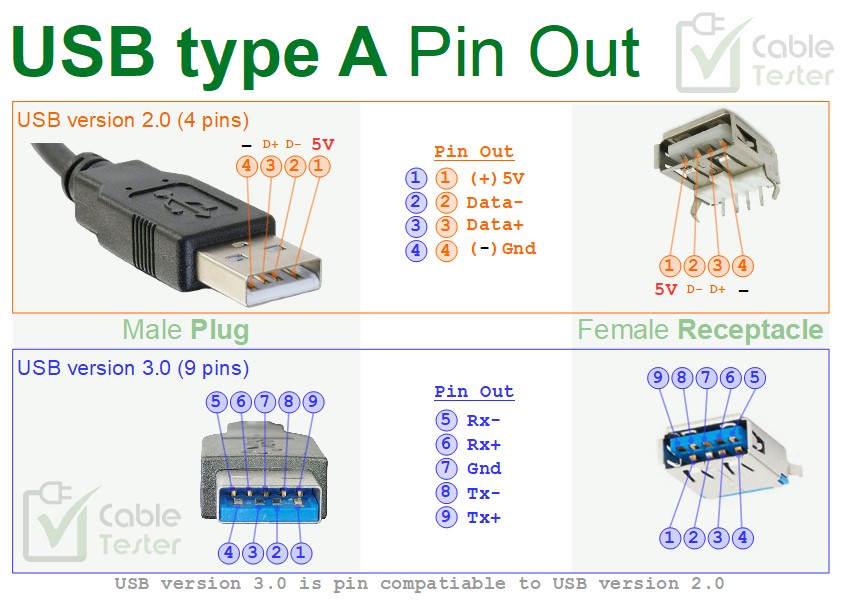
USB connector standard (version 1.0 and 2.0) started with a USB type A connector with 4 contact pins (USB A pinout). Then came the newer version USB 3.0 standard. The number of pins increases to support higher data transfer speed. The USB type A plug/receptacle is then redesigned with more pins, with physical compatibility when it is plugged with the older version of the USB type A connector.

USB Type A pinout diagram (USB A pinout)

USB Type A (USB version 2.0, version 1.0)

Pinout of the simple version of the USB plug/receptacle.

Pin No.NameDescription
15V5V power supply
2D-Data -ve
3D+Data +ve
4GndGround
USB type A (USB version 1.0, version 2.0) pin out description

USB Type A (USB version 3.0)

Pinout of the new USB 3.0 standard, design the type A connector (plug/receptable) to be backward compatible to the former USB 2.0 type A connector.

Pin No.NameDescription
15VGround
2D-Data -ve
3D+Data +ve
4GndGround
5Rx-Receive, Shielded differential pair #1, negative
6Rx+Receive, Shielded differential pair #1, positive
7GndGround
8Tx-Transmit, Shielded differential pair #2, negative
9Tx+Transmit, Shielded differential pair #2, positive
USB type A (USB version 3.0) pin out description

Check out our universal cable connection tester